
PUBG Mobile Review: Gameplay, Graphics & Final Verdict
745 views
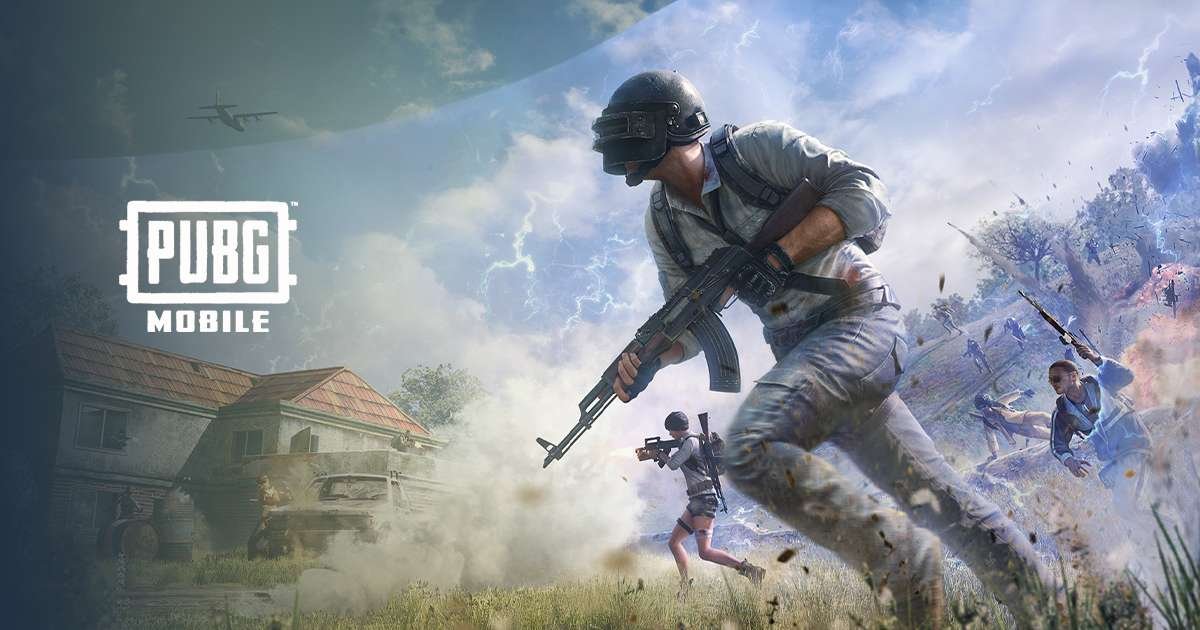
PUBG Mobile can still look excellent on a modern phone. The catch is that a beautiful screenshot tells only half the story.
A match can feel completely different after 15 minutes of sustained play. The phone heats up. Frame pacing changes. Touch inputs suddenly feel less crisp. A weak Wi-Fi connection turns an easy peek into a missed opportunity. And then there are the increasingly elaborate events and crossover mechanics competing with the slower, tactical gunplay that made PUBG Mobile famous.
That makes a 2026 review more useful than a simple “great game” or “bad game” verdict.
This review focuses on the practical experience: gunplay, controls, graphics settings, device performance, network behavior, storage demands, monetization, and the question that matters most—is PUBG Mobile still worth installing and playing in 2026?
PUBG Mobile in 2026: The Game Has Changed
PUBG Mobile remains a free-to-play battle royale, with 100-player Classic matches sitting alongside Arena modes, special events, and rotating content. The official store listing also highlights customizable controls, training mode, voice chat, multiple maps, and continually added modes and items.
The scale is hard to ignore.
Google Play currently lists 1B+ downloads and more than 48 million reviews, while the iOS version requires iOS 13 or later and lists an approximately 4 GB app size.
The more interesting change, though, is tonal.
PUBG Mobile isn't purely the grounded military-style battle royale it was years ago. Version 4.5, updated in July 2026, brings large crossover content including Naruto and Spider-Man: Brand New Day.
That isn't necessarily a problem. Players who enjoy seasonal events get much more variety. Traditionalists may find some of the fantasy-heavy cosmetics, gadgets, and collaborations distracting.
The core shooting system is still there.
And that's what saves it.
Gameplay: Still the Strongest Part
PUBG Mobile's biggest advantage is that winning usually requires more than fast thumbs.
Positioning matters. Sound matters. Ammunition management matters. So does knowing when not to shoot.
A player who fires at every distant target can reveal their position and invite a third-party attack. Someone who waits, listens for footsteps, watches the zone and takes a controlled fight often has the better chance of reaching the final circles.
That tension remains remarkably effective.
Gunplay feels deliberate
The weapons don't all behave like interchangeable mobile-game props. Recoil patterns, firing modes, optics and attachment choices influence how a fight develops.
An M416 with a suitable setup feels very different from an AKM. SMGs encourage a different engagement distance again. Bolt-action rifles reward patience rather than frantic spraying.
Small details accumulate.
Peek controls, crouching, prone movement, leaning, gyroscope aiming and customizable button layouts give experienced players plenty of room to optimize their setup. The official listing specifically confirms customizable controls and a training mode, which is useful because PUBG Mobile's default control layout isn't automatically ideal for everyone.
I'd recommend spending time in Training before changing ranked settings. Move buttons first. Adjust sensitivity second. Then test recoil.
Changing everything simultaneously makes it almost impossible to identify what actually improved your aim.
The Real Skill Gap Is Control Configuration
This is where PUBG Mobile separates casual players from people who stick with it.
A four-finger claw layout can make simultaneous movement, aiming, crouching and firing much easier than relying on thumbs alone. Gyroscope aiming can provide another layer of fine control, particularly during recoil-heavy sprays.
But there's a trade-off.
More controls don't automatically mean better controls.
A cluttered HUD can cause accidental taps, especially on smaller phones. Large-screen devices give you more physical room, while compact phones can make aggressive claw layouts uncomfortable.
A sensible starting point is simple:
Put movement, fire and camera controls somewhere your fingers naturally reach.
Play several matches before making another adjustment.
That second step gets ignored constantly. Players tweak sensitivity after one bad match, then blame the settings for problems caused by unfamiliarity.
Graphics: Impressive, but Don't Chase Pixels
PUBG Mobile can look surprisingly sophisticated on modern hardware. Environments have substantial visual detail, weapon models are convincing, lighting can create strong atmosphere, and distant terrain gives large maps a convincing sense of scale.
The problem is that maximum graphics aren't always the best competitive graphics.
A high-resolution presentation consumes more GPU resources and can increase heat. Sustained thermal load can eventually reduce performance on some phones. A steady frame rate is usually more valuable during a close-range firefight than richer shadows or vegetation.
That's especially noticeable on phones built around chips such as Qualcomm's Snapdragon 8-series or Apple's recent A-series processors. These devices have enough headroom to make PUBG Mobile look excellent, but sustained gaming still depends on cooling, ambient temperature, battery state and software optimization.
A phone sitting at 25°C in an air-conditioned room isn't the same machine, thermally, as that phone being used outdoors in hot weather.
And that difference can show up mid-match.
Graphics settings worth testing
For competitive play, I'd prioritize:
Frame rate: highest stable option your device supports
Graphics quality: smooth or balanced if maintaining performance is difficult
Anti-aliasing: enable only if performance remains stable
Shadows: reduce if frame drops appear during busy scenes
Auto-adjust graphics: useful on inconsistent hardware, but test whether it causes unwanted visual changes
The ideal setup isn't the one that looks best in the lobby.
It's the one that still feels responsive after several consecutive matches.
Performance and Storage: The Less Glamorous Problem
PUBG Mobile is no longer a tiny download you install and forget.
The iOS listing currently reports roughly 4 GB, but the actual storage footprint can grow because the game downloads additional resources, maps, textures and event content.
That matters on phones with 64 GB or 128 GB of storage.
A common mistake is judging the installation requirement and assuming that's the final space requirement. It isn't. Mobile games with regularly updated assets can accumulate substantially more local data.
I'd leave several additional gigabytes free rather than installing PUBG Mobile on a nearly full device.
Storage isn't the only limitation. Older hardware can technically launch the game while delivering a much less pleasant experience. Apple's current listing says PUBG Mobile supports devices with at least an Apple A8 chip, including iPhone 6 and newer models, and requires iOS 13 or later.
That compatibility floor should not be confused with a recommendation for competitive play.
There is a huge difference between “the app can run” and “the game feels good.”
Network Performance Can Make or Break a Match
PUBG Mobile is fundamentally an online competitive game, so latency matters.
A stable connection around 20–50 ms generally feels much more responsive than a connection bouncing between 80, 120 and 200 ms. Consistency matters almost as much as the headline ping number.
Wi-Fi congestion can become surprisingly annoying in apartments, dormitories and shared households. Mobile data may actually perform better in some locations, despite having a theoretically less predictable connection.
Don't automatically blame the game after a missed close-range fight.
Check whether your ping was stable.
Also watch packet loss and sudden spikes rather than obsessing over a single displayed latency number. A 40 ms connection that suddenly jumps above 150 ms during combat can be far more damaging than a consistently moderate connection.
Monetization: Free to Play, Expensive to Collect
PUBG Mobile is free to download, but it isn't a game without spending pressure.
The iOS store lists purchases ranging from small currency packs to larger bundles, along with PUBGM Prime and PUBGM PrimePlus subscriptions. In the U.S. listing, examples include $0.99 for 60 units of Unknown Cash, $9.99 for 600, and $99.99 for 6,000.
Regional pricing varies.
The practical distinction is more important than the exact currency conversion: spending is primarily connected to the game's cosmetic and event economy rather than a mandatory purchase to access the base game.
That makes the free entry point genuinely attractive.
The temptation to keep buying event items is another story.
Players who enjoy collecting outfits, weapon finishes and collaboration cosmetics can spend considerably more than someone who simply wants to play Classic matches.
PUBG Mobile's own terms also make clear that virtual credits are licensed game items rather than ordinary cash or transferable property.
What I Like Most
The shooting still has weight.
That sounds simple, but it's the reason PUBG Mobile remains relevant despite years of competition.
The tactical pacing creates memorable matches. One game might end with a long-range fight across a field; another becomes a frantic house-to-house battle. Squad communication adds another dimension, especially when teammates call enemy positions instead of shouting vague directions.
The breadth of customization is another strength.
You can build a control layout around your own hands rather than being trapped inside a fixed console-style interface.
And the sheer volume of content means boredom isn't inevitable.
What Still Annoys Me
The game can feel overstuffed.
Seasonal events, collaborations, cosmetics and special mechanics have expanded PUBG Mobile far beyond its original identity. Players who want a straightforward tactical shooter may occasionally wonder why the menus and event systems have become so elaborate.
Performance is another variable.
A flagship phone can provide an excellent experience, but lower-end and aging hardware may encounter frame-rate instability, longer asset loading or thermal issues. Recent Google Play reviews also include reports from players describing sluggish controls and graphics/frame-rate problems, alongside other users praising optimization on mid-range devices. Those reports aren't controlled benchmarks, but they reflect the uneven nature of real-world mobile hardware.
That's the frustrating part.
Your experience can depend heavily on the exact phone, software build and environment you're using.
PUBG Mobile vs. the Competition
PUBG Mobile isn't necessarily the best choice for every mobile shooter fan.
Category | PUBG Mobile |
|---|---|
Gunplay | Excellent |
Tactical depth | Excellent |
Graphics | Very good to excellent |
Controls | Highly customizable |
Casual accessibility | Very good |
Competitive potential | Excellent |
Storage demand | High |
Monetization pressure | Moderate to high |
Low-end hardware experience | Device-dependent |
Its strongest argument is depth.
If you want quick, uncomplicated matches every time, other shooters may feel more immediately accessible. PUBG Mobile rewards players who enjoy learning recoil, map rotations, sound cues, positioning and squad coordination.
That learning curve is part of the appeal.
FAQ
Is PUBG Mobile free to play?
Yes. The game is free to download and play, with optional in-app purchases for currency, subscriptions and cosmetic/event content.
How much storage does PUBG Mobile need?
The iOS App Store currently lists the app at about 4 GB, but additional downloadable resources can increase the actual space used on your phone.
Can PUBG Mobile run on older iPhones?
The current iOS listing says the game requires iOS 13 and supports devices starting from Apple's A8 generation, including the iPhone 6. Compatibility, however, doesn't guarantee smooth competitive performance.
Is PUBG Mobile still good for competitive players?
Yes. Its customizable controls, detailed weapon handling, movement mechanics and squad-based tactics give experienced players plenty of room to improve. Official competition rules also specify Android and iOS handheld devices for sanctioned play.
Is PUBG Mobile worth playing in 2026?
For players who enjoy tactical battle royale gameplay, absolutely. The main caveat is hardware: a stable frame rate, comfortable controls and a reliable network connection matter more than simply owning a phone that meets the minimum compatibility requirements.
Final Verdict: Still Worth the Download
PUBG Mobile has become bigger, stranger and more demanding than the game many players remember from its early years.
Yet the foundation holds.
The gunplay remains satisfying. Tactical decisions matter. The control system can be tuned extensively. Modern phones can deliver excellent visuals and responsive performance, while the huge player base means the game has plenty of life left in it. Google Play's 1B+ download milestone alone gives some indication of its scale.
The weaknesses are real, too. Storage grows. Events can overwhelm the menus. Older hardware may struggle. And the cosmetic economy can tempt players into spending far more than the free download suggests.
My verdict: 8.8/10.
If you want a deep mobile battle royale where patience, positioning and mechanical skill actually matter, PUBG Mobile remains one of the strongest choices available in 2026.
Just don't crank every graphics setting to maximum on day one.
Find the highest stable frame rate your phone can maintain, tune the controls around your hands, keep enough storage free, and judge the game after a full evening of play—not after the first impressive screenshot.
PUBG Mobile Review
PUBG Mobile Gameplay
PUBG Mobile Graphics
PUBG Mobile Verdict
Best Battle Royale Game
Found this helpful? Share it!